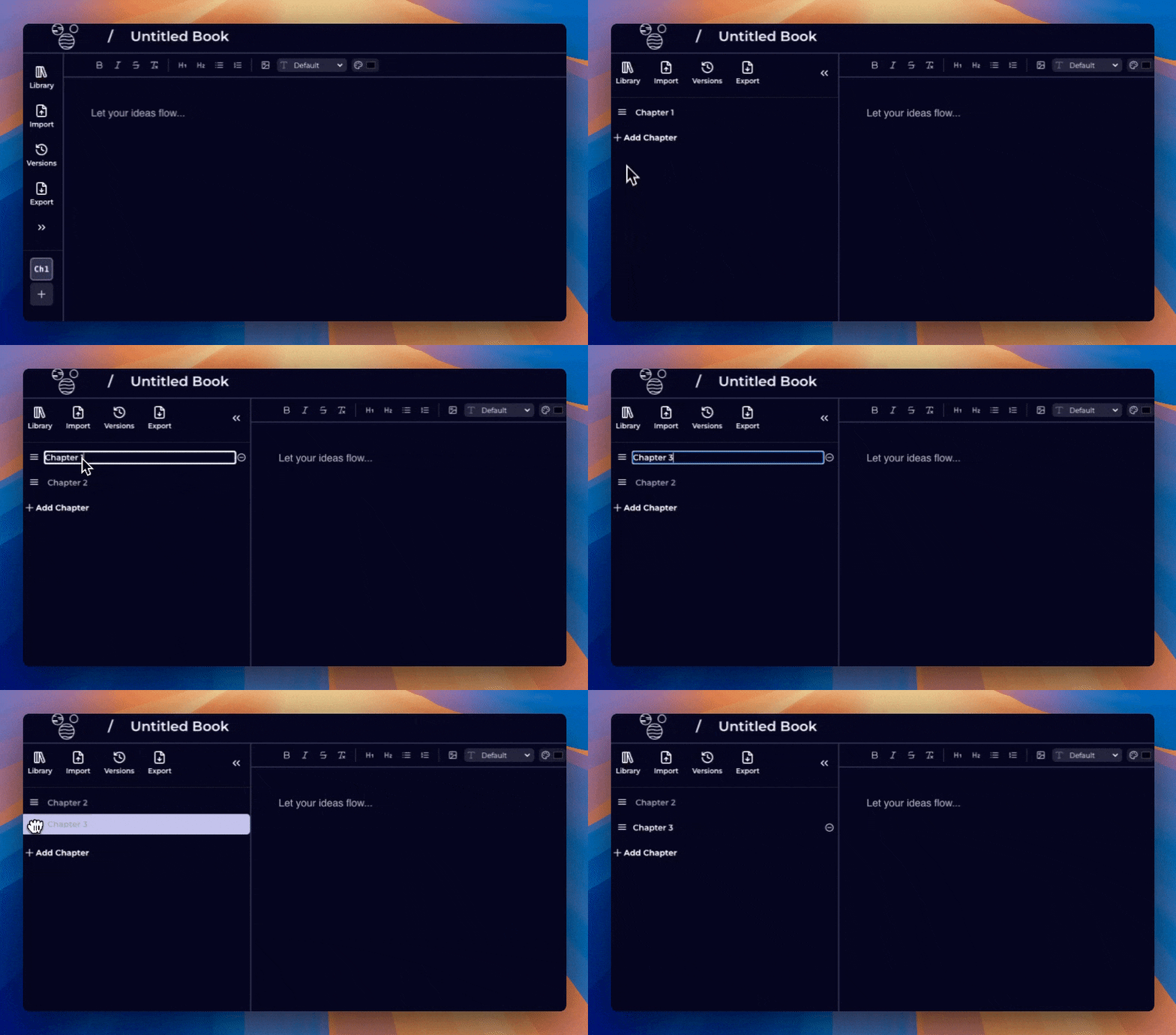

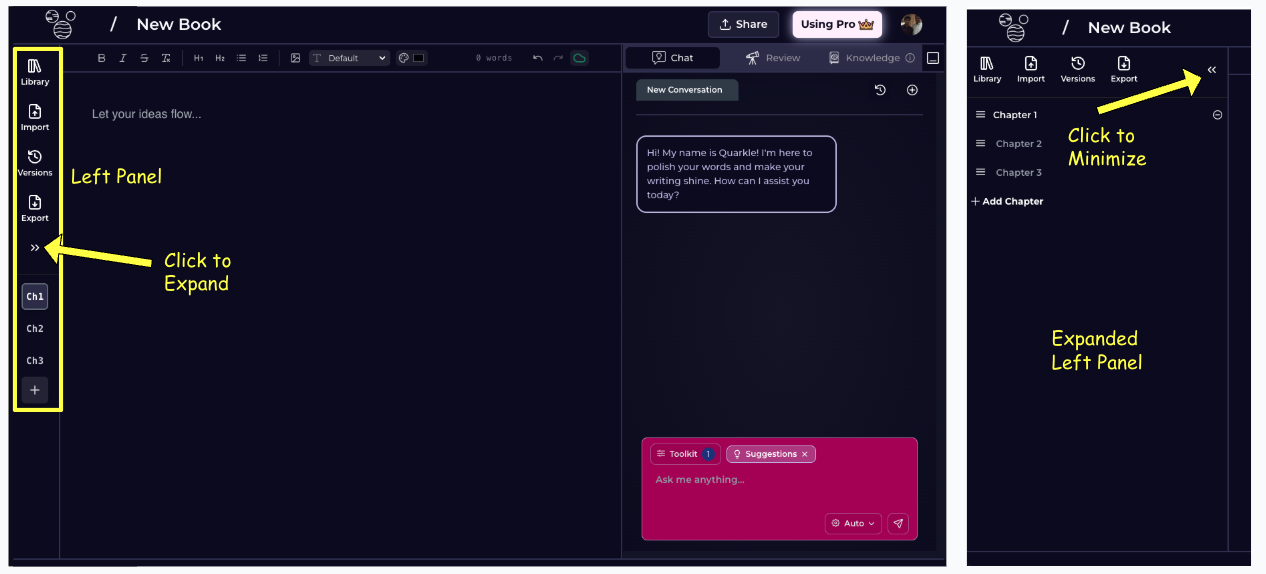
The Left Panel consists of the following commands -Documentation Index
Fetch the complete documentation index at: https://quarkle.mintlify.app/llms.txt
Use this file to discover all available pages before exploring further.
- Library - Go back to your Library Homepage
- Import - Import a document from various formats.
- Version - Version control
- Export - Export a document to various formats
- Expand - Expand the Left Panel to manipute Chapters
- Chapter Management - Refer to Chapter Management
Chapter Management
Adding a new Chapter
Step 1 - Click on+ in the Left Panel
Edit Chapter Name
Step 1 - Expand the Left Panel Step 2 - Double Click on the Chapter. You will enter Edit mode. Step 3 - Type in the new name and press Enter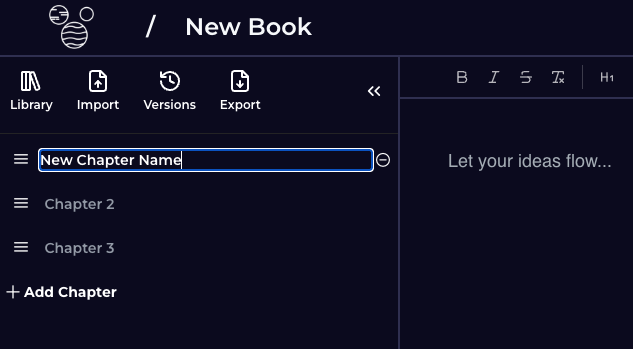
Edit Chapter Order
Step 1 - Expand Left Panel Step 2 - Hover over the Chapter Icon Step 3 - Drag to the desired position