

The Editor is where you will be doing your writing so its good to get familiar with it.Documentation Index
Fetch the complete documentation index at: https://quarkle.mintlify.app/llms.txt
Use this file to discover all available pages before exploring further.
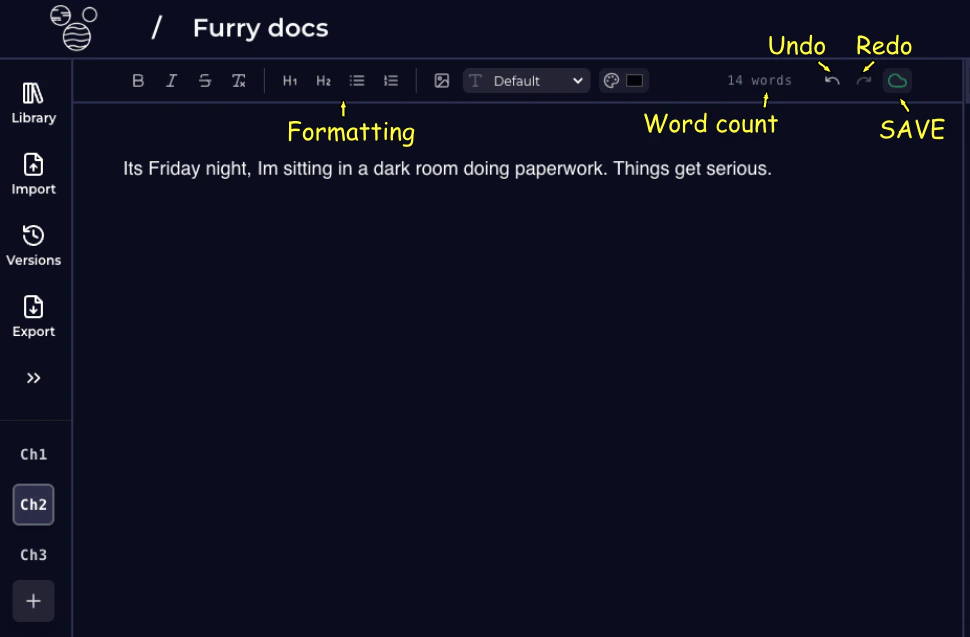
Formatting
Quarkle supports rich formatting. Following at the options in the editor top-bar — going left to right.
- Bold
- Italic
Strikethrough- Clear Formatting
- Heading 1
- Heading 2
- Bullet List
- Numbered List
- Upload Image
- Change Font
- Change Text Color