
Losing your work is really annoying. To be extra careful, we take automatic snapshots every 250 words you write. Snapshots are taken per chapter.Documentation Index
Fetch the complete documentation index at: https://quarkle.mintlify.app/llms.txt
Use this file to discover all available pages before exploring further.
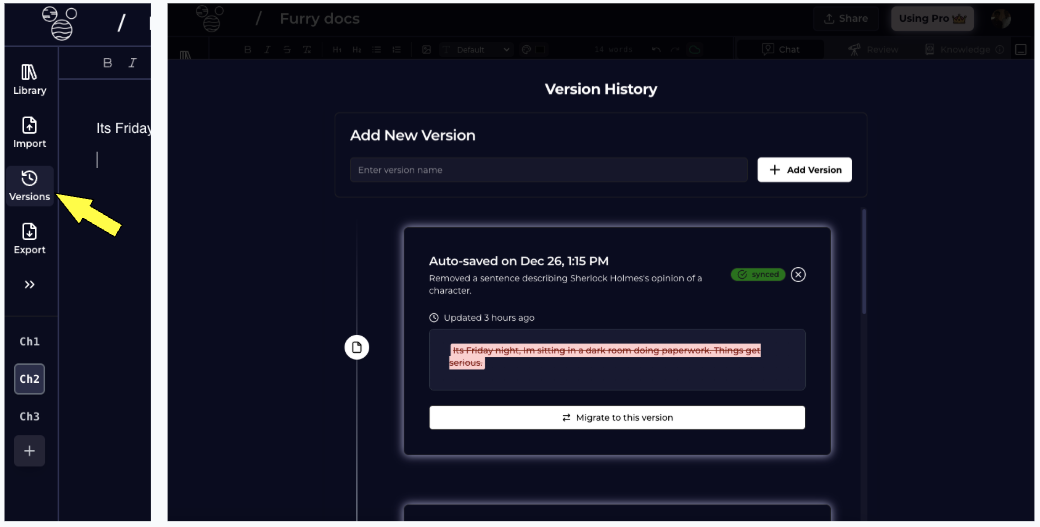
Snapshot current version
Step 1 - Open Versions from the Left Panel Step 2 - Enter Version Name Step 3 - Click Add VersionRevert to an old version
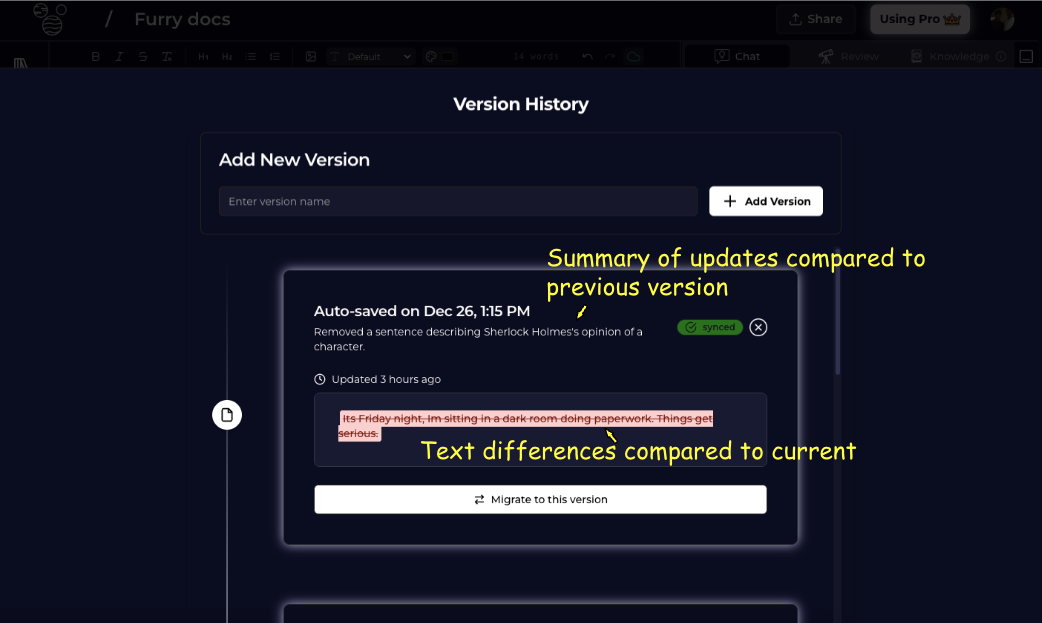
- Summary of changes compared to the previous version. This is a point-in-time commentary on the incremental text that was added upon the previous saved version.
- Differences from the current text - we can see the changes that will be applied to the current text if we revert to this version.